First: does the door work without the app?
Press the wall button or a remote. If the door doesn't move that way either, the app can't help: the opener has no power or a fault (Chamberlain Group support: why can't I open or close my door from the myQ app?). See garage door troubleshooting.
Power outage? On the LiftMaster models in its 2017 guide, myQ doesn't work while the opener runs on its backup battery (LiftMaster 8550W/8557W user's guide 114A5013, 2017 (FCC copy)). See battery backup and beeping, or open the door without power.
The app says…
| Message | What to try |
|---|---|
| Offline | Restart your router, and check the opener's Wi-Fi signal in the garage (Chamberlain Group support: why can't I open or close my door from the myQ app?) |
| Close Error | Something is in the way or the safety sensors are out of line. Clear it, then open or close the door with the wall button or a remote to clear the error (Chamberlain Group support: why can't I open or close my door from the myQ app?). Fix the sensors |
| Monitor Door Only | The app can see the door but not control it. Chamberlain says the door sensor may not be paired with the opener: follow the app's pairing steps, which use the opener's Learn button. The door will move while you pair it, so keep the doorway clear (Chamberlain Group support: why can't I open or close my door from the myQ app?) |
No message, nothing happens? Check your phone is online. Try turning Wi-Fi off and using cellular data: if the app works then, the problem is your home Wi-Fi (Chamberlain Group support: why can't I open or close my door from the myQ app?).
The light on a Wi-Fi opener
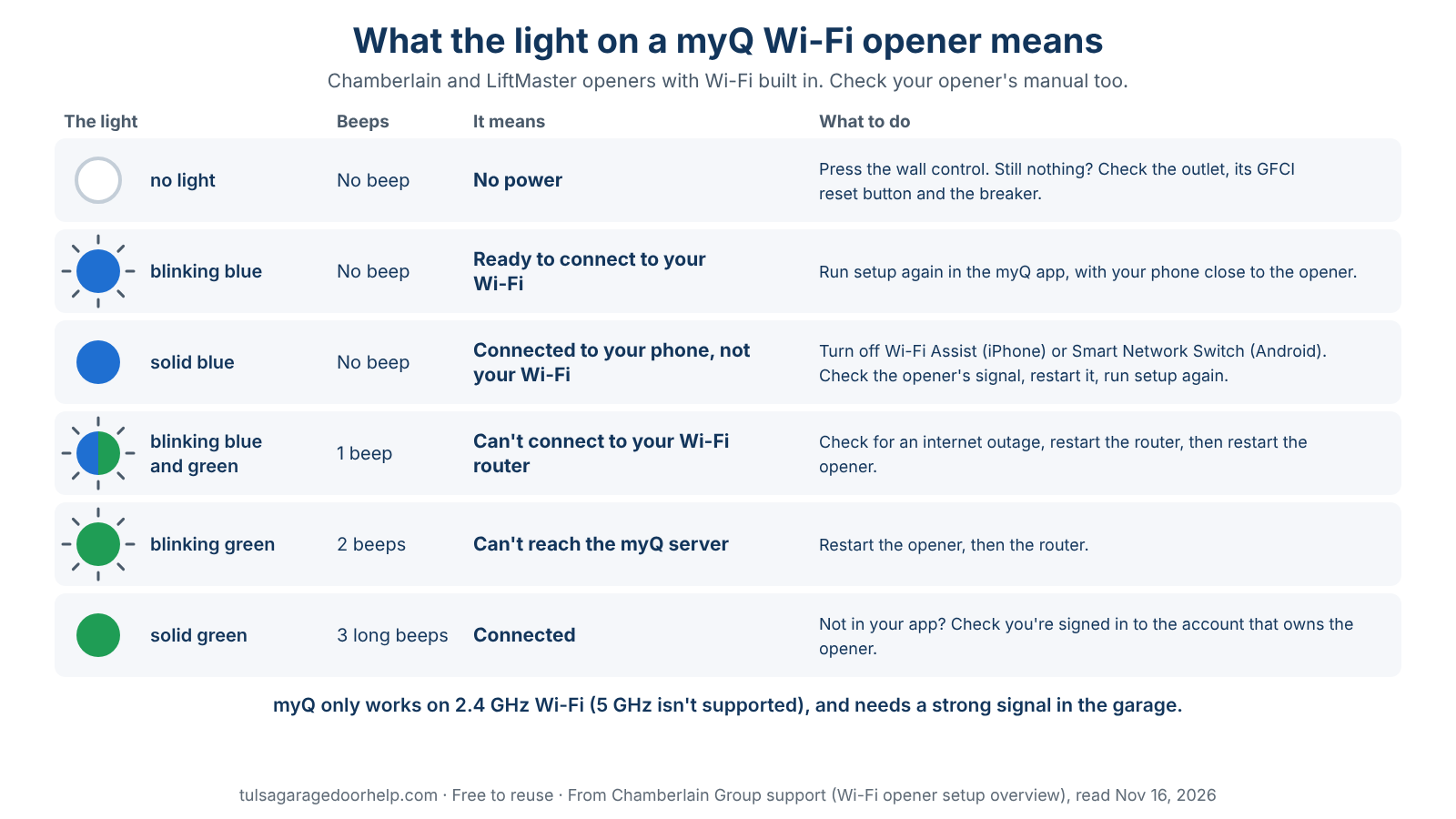
Chamberlain's meanings for the Wi-Fi light on its openers (Chamberlain Group support: unable to connect the Wi-Fi garage door opener to home Wi-Fi (overview)):
- No light (no beep): the opener has no power. Press the wall control; if the door doesn't move, check the outlet, its GFCI reset button and the breaker
- Blinking blue (no beep): it's ready to connect to your home Wi-Fi. Run the setup in the app again, with your phone close to the opener
- Solid blue (no beep): it's connected to your phone but not to your home Wi-Fi. Turn off Wi-Fi Assist (iPhone) or Smart Network Switch (Android), check the signal at the opener, restart the opener and run setup again
- Blinking blue and green (1 beep): it couldn't connect to your router. Check for an internet outage, restart the router, then restart the opener
- Blinking green (2 beeps): it can't reach the myQ server. Restart the opener (unplug it and plug it back in), then the router
- Solid green (3 long beeps): it's connected. If it isn't in your app, check you're signed in to the account that owns it, then add it in the app
Two things that trip people up: myQ needs a 2.4 GHz Wi-Fi network (5 GHz isn't supported), and the signal has to be strong in the garage. A router closer to the garage, an extender or a mesh point can help (Chamberlain Group support: unable to connect the Wi-Fi garage door opener to home Wi-Fi (overview)).
Using a Smart Garage Hub (an add-on, not built in)?
- Keep the hub at least 4–6 feet from the opener's motor, inside the garage where you can see its light; Chamberlain also suggests turning it 180° on its bracket (Chamberlain Group support: why can't I open or close my door from the myQ app?)
- Check the door sensor's battery, that it isn't upside down, and that it's within 30 feet of the hub (Chamberlain Group support: why can't I open or close my door from the myQ app?)
- After two or more failed tries, open and close the door fully twice with the wall button or a remote, to get the hub and sensor back in step (Chamberlain Group support: why can't I open or close my door from the myQ app?)
Just moved in?
The previous owners may still have the opener in their myQ app. How to reset a garage door opener covers erasing remotes, and the factory reset that clears a previous owner's myQ account. Chamberlain says a Wi-Fi reset alone does not remove their account; the previous owner can also remove the opener in their own app (Settings, Device Management).
Getting a repair quote? Compare it with typical prices, with their sources, or put it into the free quote checker.